Game Integrations
Live RGB reactions tied to trending titles—fresh game modules ship every month.
Read details
SignalRGB 中央 RGB 指挥台
适用于 100 多个 RGB 设备
SignalRGB 把键盘、鼠标、耳机、风扇、GPU 与主板纳入同一灯光层,告别在多套厂商软件间来回切换。
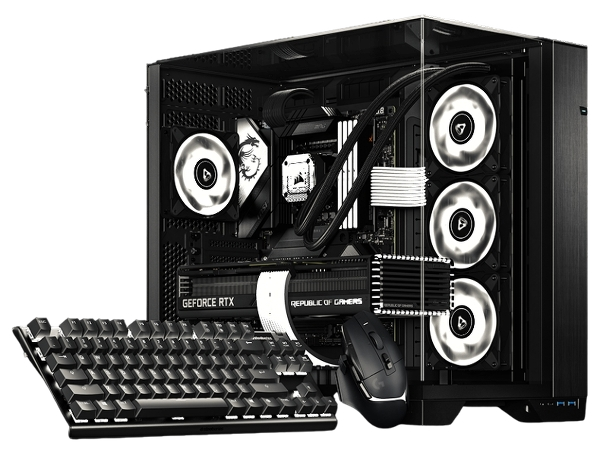
在整个设置中可与100 多台设备配合使用
Level up with
Live RGB reactions tied to trending titles—fresh game modules ship every month.
Read detailsWith SignalRGB macros, launch specific effects when you start a game and automate your entire lighting workflow.
Read detailsWatch thermals across your build and draw custom fan curves without opening another utility.
Read detailsTransform your desk into a music-driven light show using any audio playing on the PC.
Read details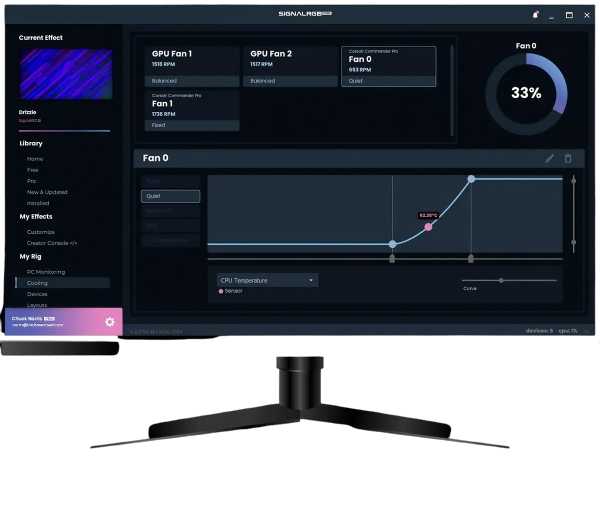
底层能力
高级工具与您的硬件一样精致。每项功能均专为沉浸感和性能而设计。
快速开始
在几分钟内从混乱到完全统一的战场。
自动检测 Razer、Corsair、Logitech 等。 RGB 风扇和条带的手动向导。
选择游戏集成、环境同步或构建您自己的效果堆栈。
一键单击即可将您的配置文件应用于每个外围设备和内部 RGB 区域。
社区
战场全球
来自构建者、主播和 RGB 爱好者的真实设置。
社区声音